
Installation paths for coral togel
coral togel offers three ways to access our platform on mobile. Android users can download the APK directly from our site and install it by enabling unknown sources in device settings. iOS users access coral togel through Safari or Chrome by visiting our web app, which works identically to a native app and can be saved to your home screen. Web users on any device can open coral togel in a browser without installation.
Choose your coral togel access method
Android APK offers the fastest performance and offline features. iOS browser and web app provide instant access without installation. All three paths connect to the same account and balance.
Android APK installation
Download the coral togel APK from our site. Open your device settings, navigate to Security, and enable "Unknown sources" or "Install from unknown sources" (exact wording varies by Android version). Locate the downloaded APK file in your file manager and tap it to install. Follow the on-screen prompts to complete installation. Once installed, open coral togel, create or log into your account, and begin using the app.
If you see a warning about the app being unverified, this is normal for APK installations outside the Google Play Store. We sign our APK with a valid certificate to ensure authenticity. If installation fails, check that you have enough storage space, that your device is running Android 7 or later, and that you have enabled unknown sources. Contact our support team if the issue persists.
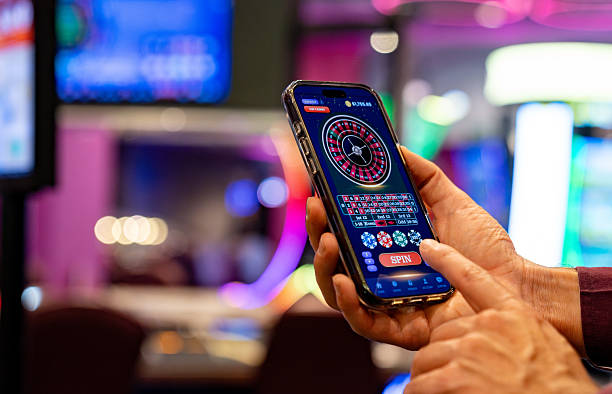
iOS and web app access
iOS users open Safari or Chrome and navigate to coral togel. The site detects your device and displays the web app interface optimized for iPhone and iPad. Tap the share button and select "Add to Home Screen" to save coral togel as an icon on your home screen. This creates a shortcut that launches the app in full-screen mode, mimicking a native app experience. Web users on any device simply bookmark the site or access it directly through their browser.
The iOS web app and browser version of coral togel support all the same features as the Android APK—live-dealer tables, sportsbook betting, slot games, account management, and withdrawals. Performance is nearly identical across all three access methods. If you prefer not to download an APK, the web app is a reliable alternative that requires no installation.
App vs. browser: strengths and trade-offs
The coral togel Android APK offers offline caching, which means certain game lists and account information load instantly even without internet. The APK also supports push notifications, so you receive alerts about live events, withdrawal confirmations, and account security updates. Installation takes one minute and uses minimal storage. The trade-off is that you must enable unknown sources and manually update the app when we release new versions.
The web app and browser version require no installation and update automatically. You access coral togel instantly from any device by opening a link. The trade-off is that you need an active internet connection and do not receive push notifications. For users who switch between devices frequently or prefer simplicity, the web app is ideal. For users who want the fastest performance and offline features, the Android APK is the better choice.

Device compatibility and requirements
The coral togel Android APK runs on Android 7.0 and later. Most devices released in the past five years meet this requirement. The app requires approximately 50 MB of free storage. If your device is older or has limited storage, the web app is a lightweight alternative that works on any device with a modern browser. iOS users need iOS 12 or later to access the web app smoothly. We test coral togel on popular devices from Samsung, Xiaomi, Oppo, Vivo, and Apple to ensure broad compatibility.
Common installation issues and solutions
If you see "Installation blocked" on Android, check that unknown sources is enabled in your device settings. If the APK file does not appear in your file manager after download, check your Downloads folder or use a file manager app to locate it. If installation fails partway through, delete the partially installed app and try again. If you receive a certificate error, this indicates a corrupted download—delete the file and download again from our site. For iOS users, if the web app does not load, clear your browser cache and cookies, then try again. If performance is slow, check your internet connection and close other apps running in the background.
Data, permissions, and account security on coral togel
The coral togel app requests permission to access your device storage (for offline caching), your network connection, and your device identifier. We do not request access to your contacts, photos, location, or other sensitive data. All permissions are necessary for the app to function. You can review and revoke permissions at any time in your device settings without affecting your account. Your login credentials are encrypted and stored securely on your device. If you lose your phone, your account remains protected because login requires your password and, if enabled, two-factor authentication.
We recommend enabling two-factor authentication on your coral togel account for added security. If you suspect unauthorized access, log out of all sessions through your account settings and change your password immediately. Contact our support team if you believe your account has been compromised. We can review your account activity, reset your credentials, and help you regain access.